Conduit

Conduit
Transform your Apple devices into ROS 2 sensor publishers
iOS 16+ · visionOS 1+ · macOS 13+ · ROS 2 Humble / Jazzy / Kilted / Rolling
Table of Contents
Demo Videos
Teleoperation
Control robots using Game Controller sensor via ROS 2 joy messages
Camera & LiDAR
Stream iPhone camera images and LiDAR point clouds to ROS 2
Getting Started
Step-by-step guide to connect Conduit with your ROS 2 system
Screenshots
Sensor Tabs
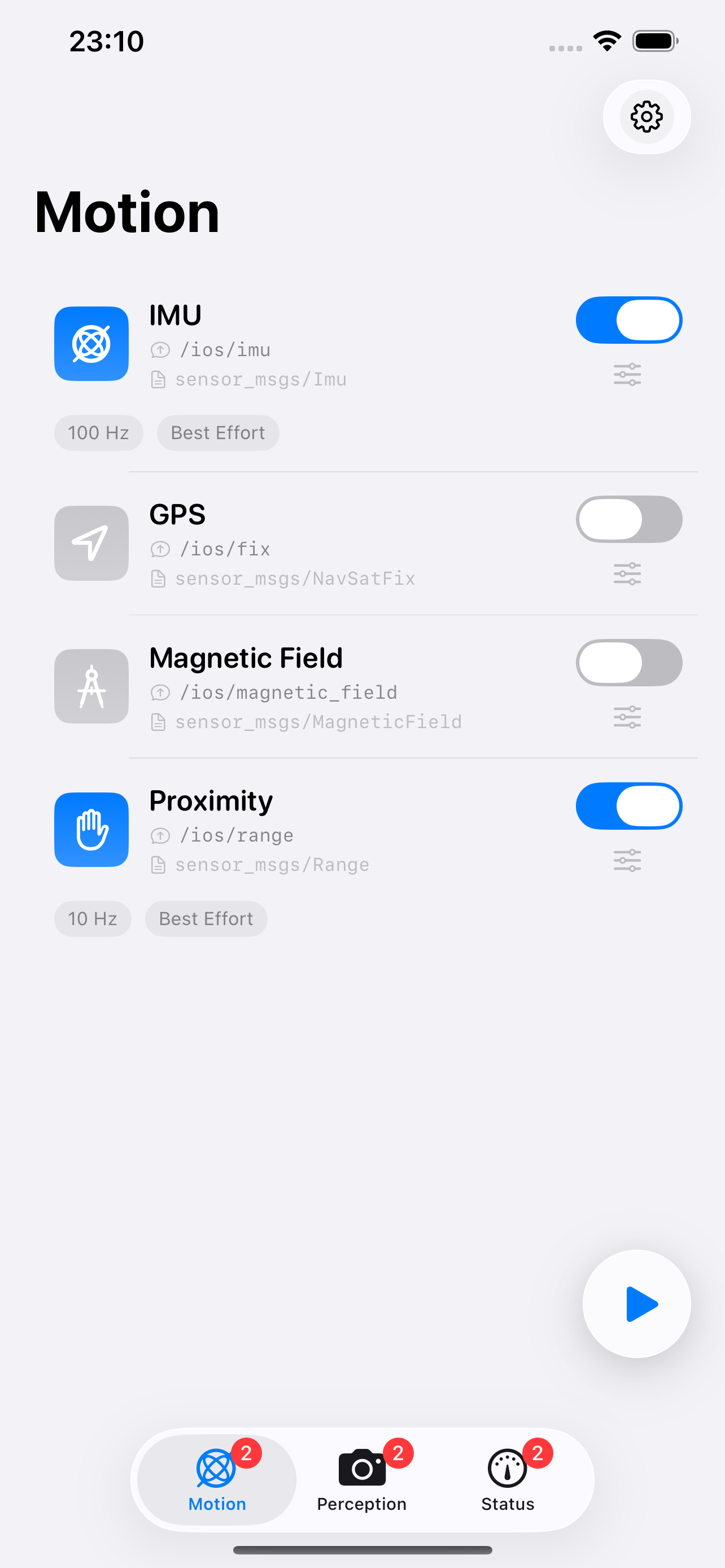
Motion
IMU, GPS, Magnetometer, Proximity
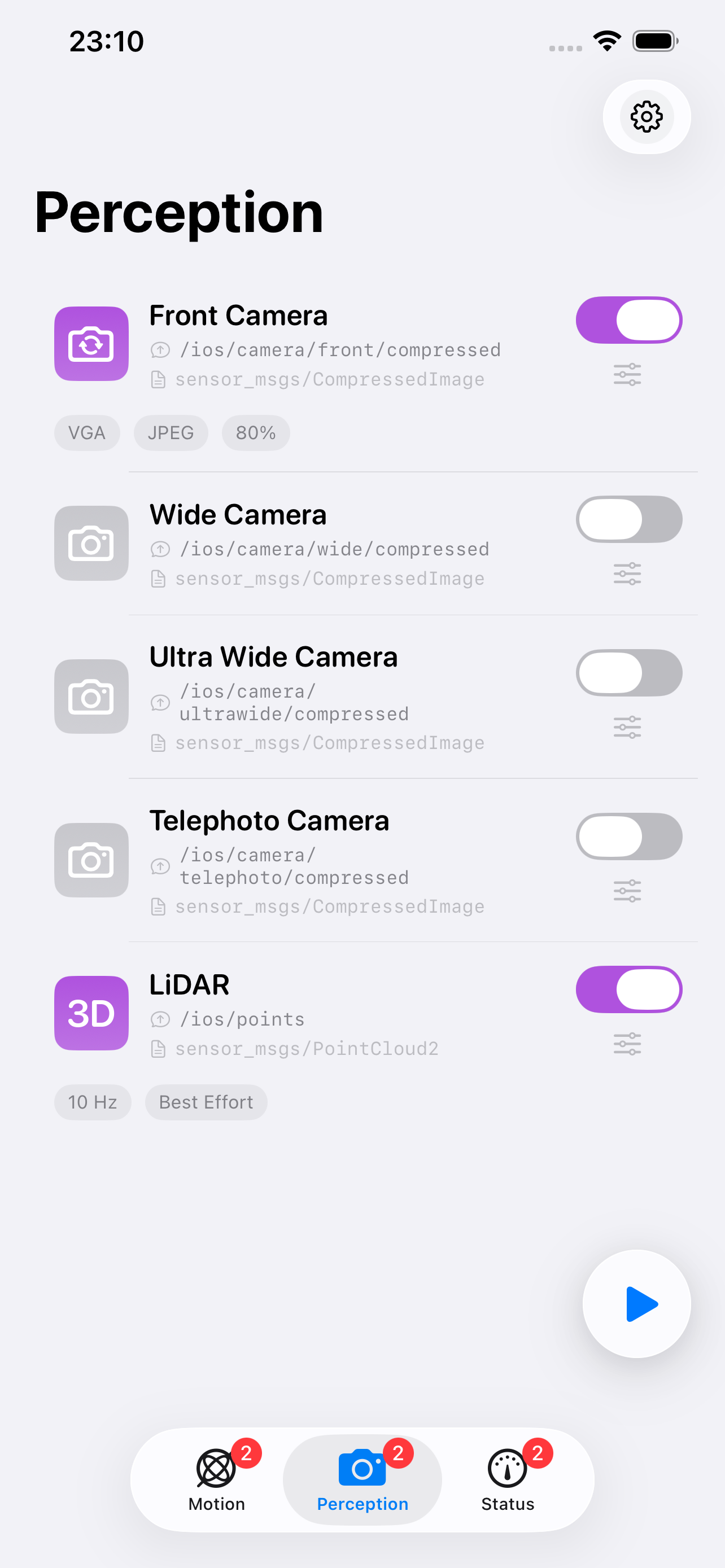
Perception
Camera, LiDAR
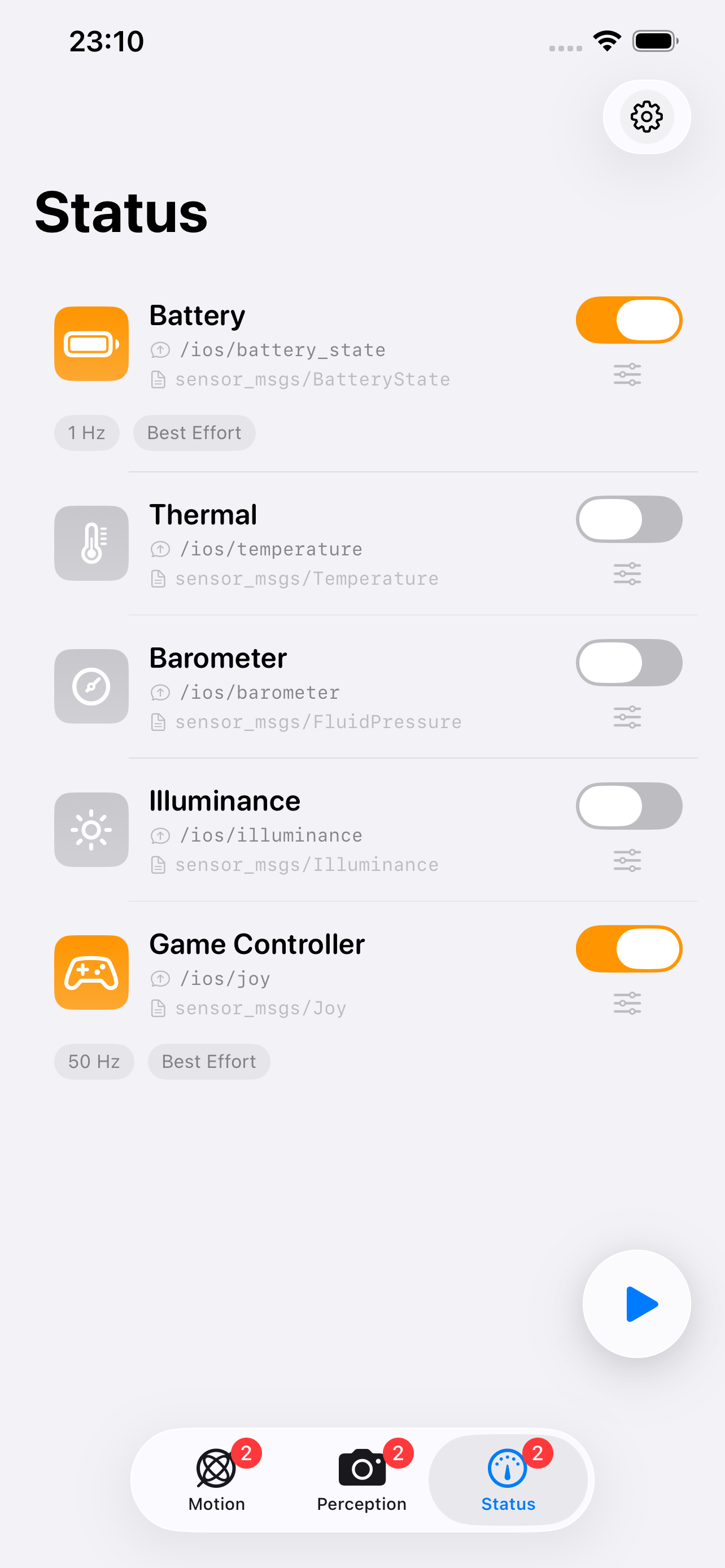
Status
Battery, Thermal, Barometer, etc.
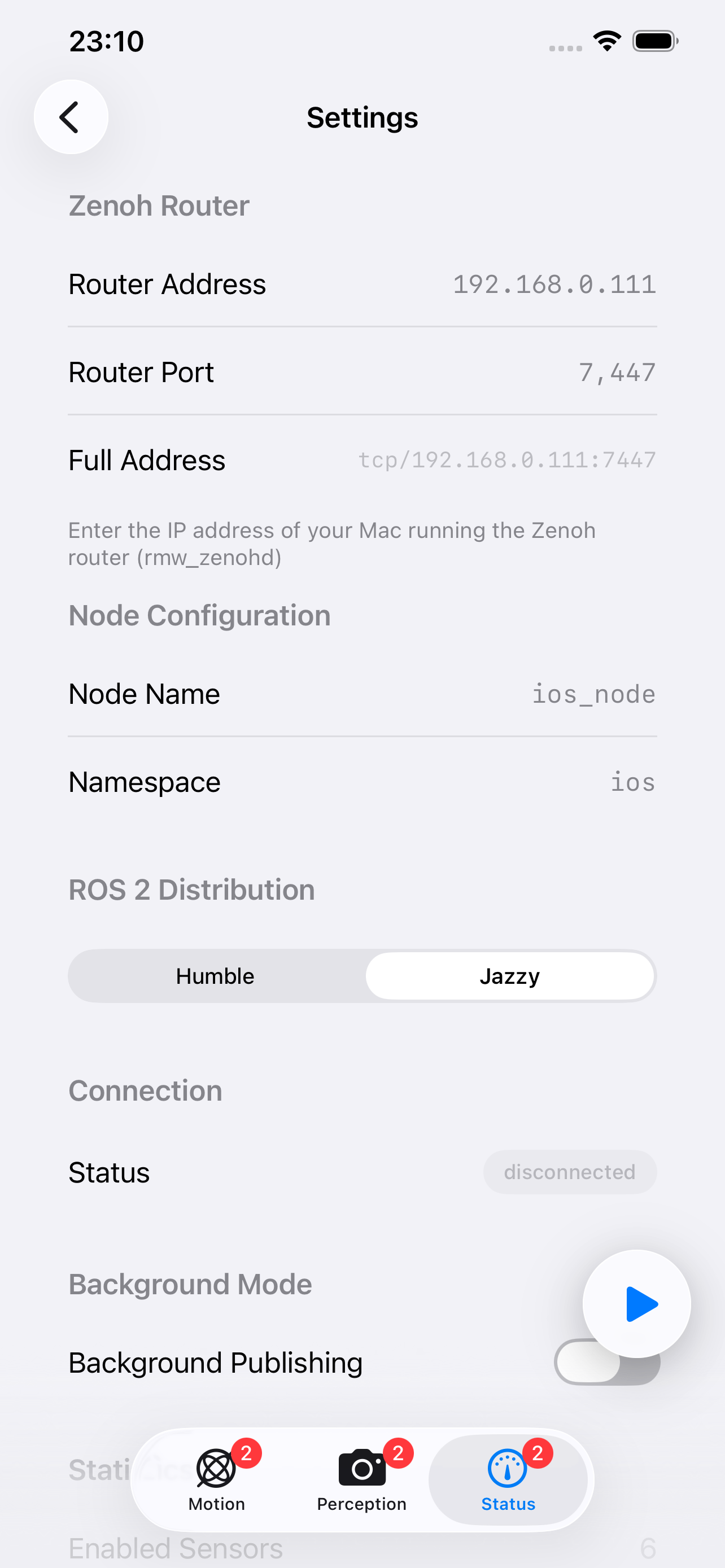
Settings
Router, Node, ROS 2 Distribution
Getting Started Flow
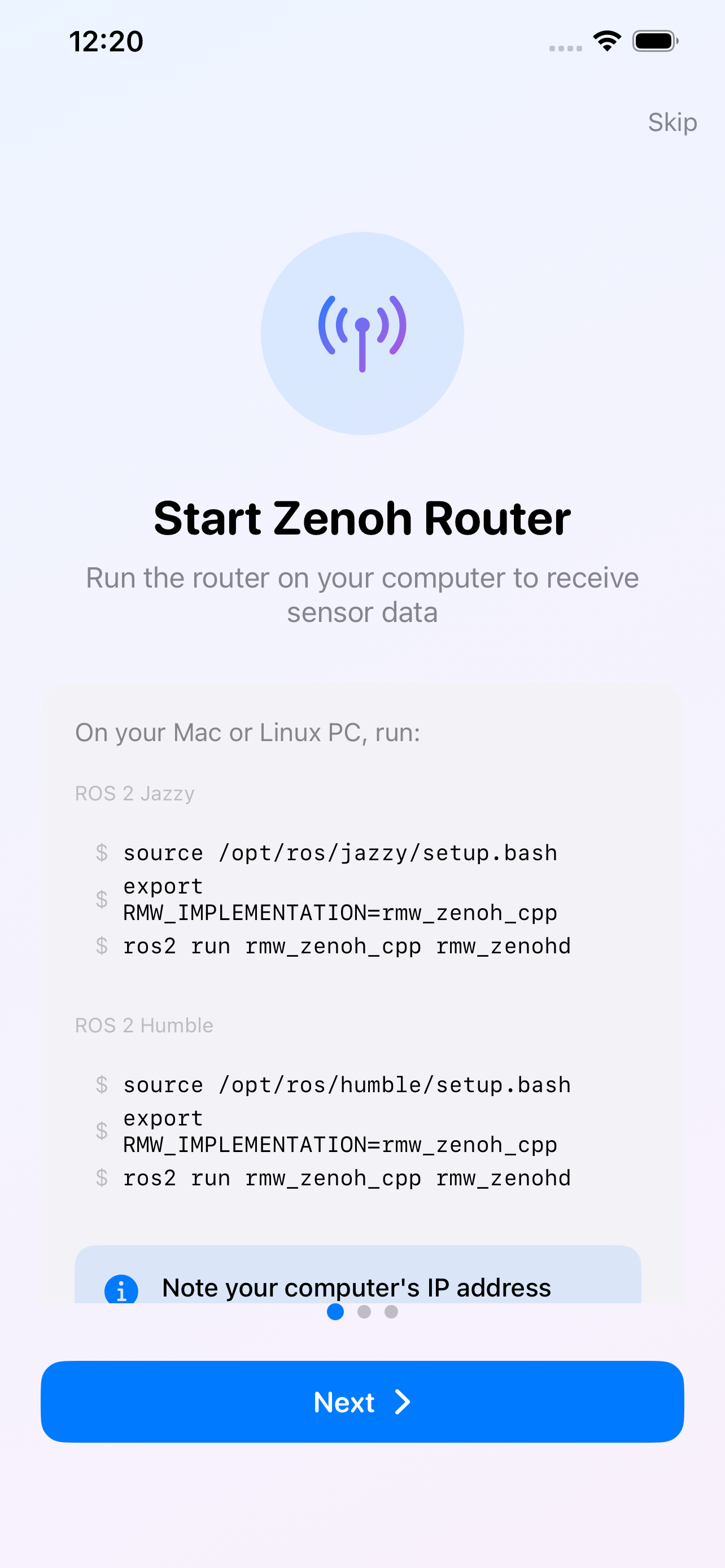
1. Start Zenoh Router
Run rmw_zenohd on your ROS 2 system
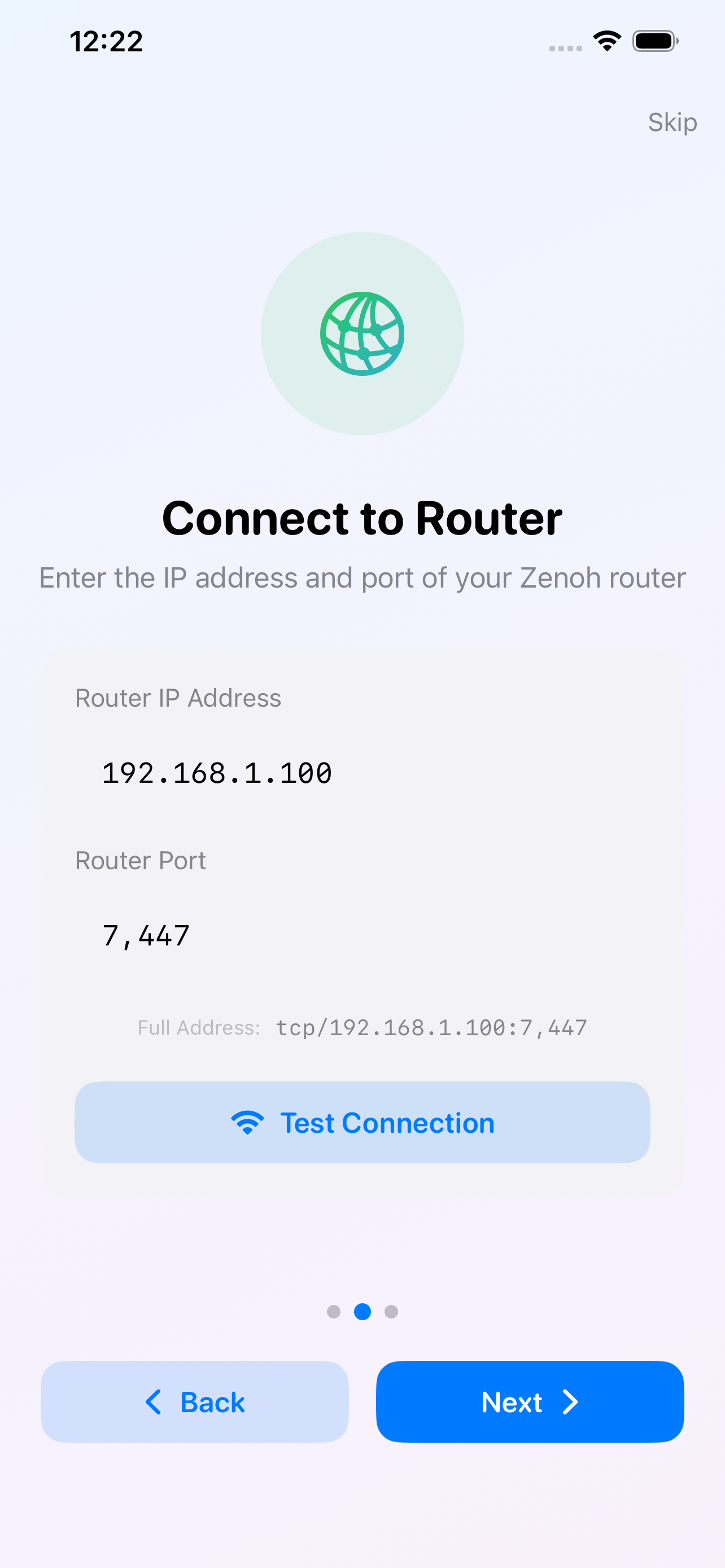
2. Connect to Router
Enter IP address and port
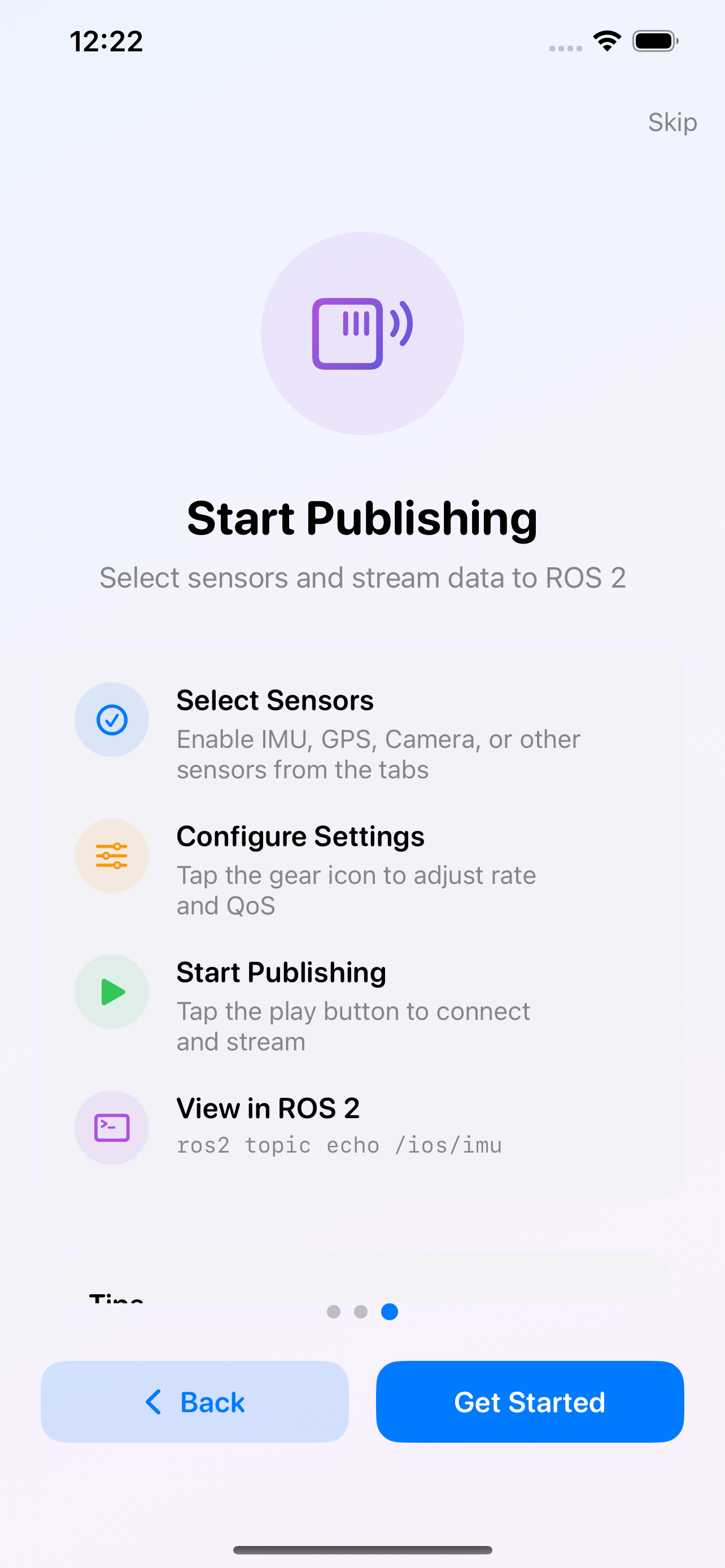
3. Start Publishing
Select sensors and stream to ROS 2
Overview
Conduit is a professional developer tool that turns your iOS device into a powerful ROS 2 sensor publisher. Stream real-time IMU, GPS, camera, LiDAR, and other sensor data directly to your robotics system via Zenoh protocol - no bridge required.
Perfect for robotics developers, researchers, and autonomous systems engineers who need high-quality sensor data from iOS devices.
✨ Features
🎯 Multiple Sensors
IMU (9-axis), GPS, Camera, LiDAR, Barometer, Magnetometer, Game Controller, and more
🔗 Native ROS 2
Direct rmw_zenoh_cpp compatibility. Works with Humble, Jazzy, Kilted, and Rolling. No bridge needed.
⚡ Real-Time Streaming
Low-latency sensor publishing up to 100 Hz. Configurable QoS and rates.
🎛️ Full Control
Enable only the sensors you need. Adjust publishing rates and QoS settings per sensor.
📷 Multi-Camera Support
Publish from multiple cameras simultaneously. Front, wide, ultra-wide, and telephoto.
🔒 Privacy-First
All data stays on your local network. No cloud. No tracking. Fully transparent.
🚀 Use Cases
- Mobile Robotics: Use iPhone/iPad as sensor suite for mobile robot development
- Autonomous Vehicles: Collect high-quality IMU and GPS data for SLAM and localization
- Drone Research: Stream real-time sensor data from iPhone mounted on drones
- AR/VR Research: Leverage LiDAR and camera for spatial computing research
- Education: Teach ROS 2 concepts with accessible iOS sensors
- Prototyping: Rapid sensor integration without specialized hardware
📊 Supported Sensors
Motion Sensors:
| Sensor | Message Type | Max Rate | Description |
|---|---|---|---|
| IMU | sensor_msgs/Imu | 100 Hz | 9-axis motion (accel + gyro + mag) |
| GPS | sensor_msgs/NavSatFix | 1 Hz | Location, altitude, accuracy |
| Magnetic Field | sensor_msgs/MagneticField | 100 Hz | 3-axis magnetic field |
| Proximity | sensor_msgs/Range | 10 Hz | Object detection distance (iPhone only) |
Perception Sensors:
| Sensor | Message Type | Max Rate | Description |
|---|---|---|---|
| Camera | sensor_msgs/CompressedImage | 15 Hz | Multiple cameras, JPEG compression |
| LiDAR | sensor_msgs/PointCloud2 | 10 Hz | Depth sensing (iPhone 12 Pro+) |
Status Sensors:
| Sensor | Message Type | Max Rate | Description |
|---|---|---|---|
| Battery | sensor_msgs/BatteryState | 1 Hz | Level, voltage, charging status |
| Thermal | sensor_msgs/Temperature | 1 Hz | Device temperature state |
| Barometer | sensor_msgs/FluidPressure | 10 Hz | Atmospheric pressure |
| Illuminance | sensor_msgs/Illuminance | 10 Hz | Ambient light sensor |
| Game Controller | sensor_msgs/Joy | 50 Hz | Bluetooth controller input |
🔧 Requirements
Supported Platforms:
- iOS 16.0+ (iPhone, iPad)
- visionOS 1.0+ (Apple Vision Pro)
- macOS 13.0+ (Mac Catalyst)
Platform-Specific Sensor Availability:
- iOS/iPadOS: All 12 sensors supported
- visionOS: Camera, IMU, Game Controller (GPS not available - indoor device)
- macOS: Limited (Camera, Battery, Game Controller - no IMU/GPS)
ROS 2 System:
- ROS 2 Humble, Jazzy, Kilted, or Rolling
- rmw_zenoh_cpp middleware
- Zenoh router (rmw_zenohd)
📖 Quick Start
- Install Conduit from the App Store
- Start Zenoh router on your ROS 2 system (Mac, Linux, or Windows):
1
2
3
4
source /opt/ros/jazzy/setup.bash
export RMW_IMPLEMENTATION=rmw_zenoh_cpp
export ROS_DOMAIN_ID=0  # Set domain ID (0-255, default: 0)
ros2 run rmw_zenoh_cpp rmw_zenohd
- Configure connection in Conduit Settings:
- Enter the host machine’s IP address
- Set port (default: 7447)
- Set Domain ID (must match ROS_DOMAIN_ID on host)
- Enable sensors from Motion, Perception, or Status tabs
- Tap Play to start streaming
- Verify topics on your ROS 2 system:
1
2
ros2 topic list
ros2 topic echo /ios/imu
Note: Domain ID must match between Conduit app and ROS 2 system. Topics will only be visible when both sides use the same domain ID (0-255).
💬 Support & Feedback
Get help, report bugs, and request features through GitHub:
📝 Issues & Bug Reports
- Bug Reports: App crashes, sensor issues, unexpected behavior
- Feature Requests: Suggest new features or improvements
- Connection Issues: Network/router connection problems
- Support Questions: Setup and configuration help
💬 Community Discussions
- Q&A: Ask questions and get answers
- Setup Help: Get configuration assistance
- Show and Tell: Share your robotics projects
- General: Community discussions
📚 Documentation
- FAQ - Common questions
- Troubleshooting - Problem solving
- Platform Notes - Platform-specific info
- Known Issues - Current limitations
👨💻 Direct Contact
- Developer: Yutaka Kondo (LinkedIn)
- Main Repository: github.com/youtalk/conduit
Privacy Policy
Last Updated: December 20, 2025
Conduit is a developer tool that publishes sensor data from iOS devices to ROS 2 (Robot Operating System 2) networks. This privacy policy explains what data the app collects, how it’s used, and your rights.
Developer: Yutaka Kondo (youtalk) · LinkedIn · Website
Data Collection
Sensor Data (User-Controlled)
The app may access and transmit the following sensor data only when you explicitly enable each sensor:
- Motion Data: Accelerometer, gyroscope, magnetometer readings (IMU)
- Location Data: GPS coordinates (only while app is in use)
- Camera Data: Images from device cameras
- Environmental Data: Barometer, ambient light sensor
- Device State: Battery level, thermal state
- LiDAR Data: Depth sensing (on supported devices)
- Game Controller Input: Button and joystick data
Important Notes:
- All sensor data collection is opt-in. Sensors are disabled by default.
- Data is transmitted only to your configured Zenoh router (typically on your local network).
- No data is sent to our servers or any third-party servers.
- Background GPS tracking is not supported due to privacy constraints. Location data is only collected while the app is active.
Analytics Data
The app uses Firebase Analytics to collect:
- Device Information: Device model, OS version
- App Usage: Feature usage, error occurrences
- Anonymous Identifiers: Non-personal device identifiers
This data is used solely to improve app functionality and user experience.
How Data Is Used
Sensor Data:
- Transmitted directly to your configured ROS 2 system via Zenoh protocol
- Used for robotics development, research, and testing
- Never stored on our servers
- Never shared with third parties
Analytics Data:
- Used to identify bugs and improve app performance
- Aggregated and anonymized
- Processed by Google Firebase Analytics (see their privacy policy)
Data Storage and Security
- Sensor data: Not stored by the app. Transmitted in real-time to your ROS 2 system.
- Configuration settings: Stored locally on your device using iOS Keychain and UserDefaults.
- Network transmission: Data is sent over your local network to the Zenoh router you configure.
- Firebase Analytics: Collects anonymous usage statistics. Subject to Google’s Privacy Policy. You can opt out by disabling analytics in iOS Settings > Privacy > Analytics & Improvements.
Permissions
The app requests the following iOS permissions:
| Permission | Purpose | Required |
|---|---|---|
| Camera | Publish camera images to ROS 2 | Optional |
| Location (When In Use) | Publish GPS data to ROS 2 | Optional |
| Motion & Fitness | Access IMU sensors | Optional |
| Local Network | Connect to Zenoh router on your network | Required |
Note: All permissions except Local Network are optional. You can selectively enable only the sensors you need.
Your Rights
You have the right to:
- Control sensor access: Enable/disable any sensor at any time
- Delete app data: Uninstall the app to remove all local data
- Opt out of analytics: Disable analytics in iOS Settings
Data Retention
- Sensor data: Not retained by the app (transmitted in real-time)
- Configuration data: Stored until app is uninstalled
- Analytics data: Retained by Firebase per their retention policy
Policy Updates
We may update this privacy policy from time to time. Changes will be posted on this page with an updated “Last Updated” date.
Contact
For questions or concerns:
- LinkedIn: https://www.linkedin.com/in/youtalk
- Website: https://youtalk.jp
Note: This app is designed for developers and researchers. It is not intended for children under 13.